WrapX
Live, interactive retopology. Load a clean base mesh and a scan, click matching points on each, press Play, and watch the template flow onto the scan — then grab it and push it around while it is still solving.
- C++ · no Python in the loop
- In-process solver thread
- Quads preserved
- OBJ + FBX
- Reversed-Z GL + Skia
- GPL-3.0
Wrapping a base mesh onto a scan is normally a batch step. You place landmarks, submit, wait, and inspect what comes back; if it is wrong you adjust the landmarks and submit again. WrapX is the argument that the interesting part is the ten seconds you are not allowed to see — so the solve runs in-process, at a watchable pace, in the viewport you are already looking at.
There is no batch step, no export round trip and no Python in the loop. Press Play and the template starts crawling onto the target; press Grab and drag, and the mesh stays soft under the cursor and keeps solving while you pull. The Python pipeline this was ported from still exists — as the reference implementation the C++ is tested against, not as a runtime dependency.
01
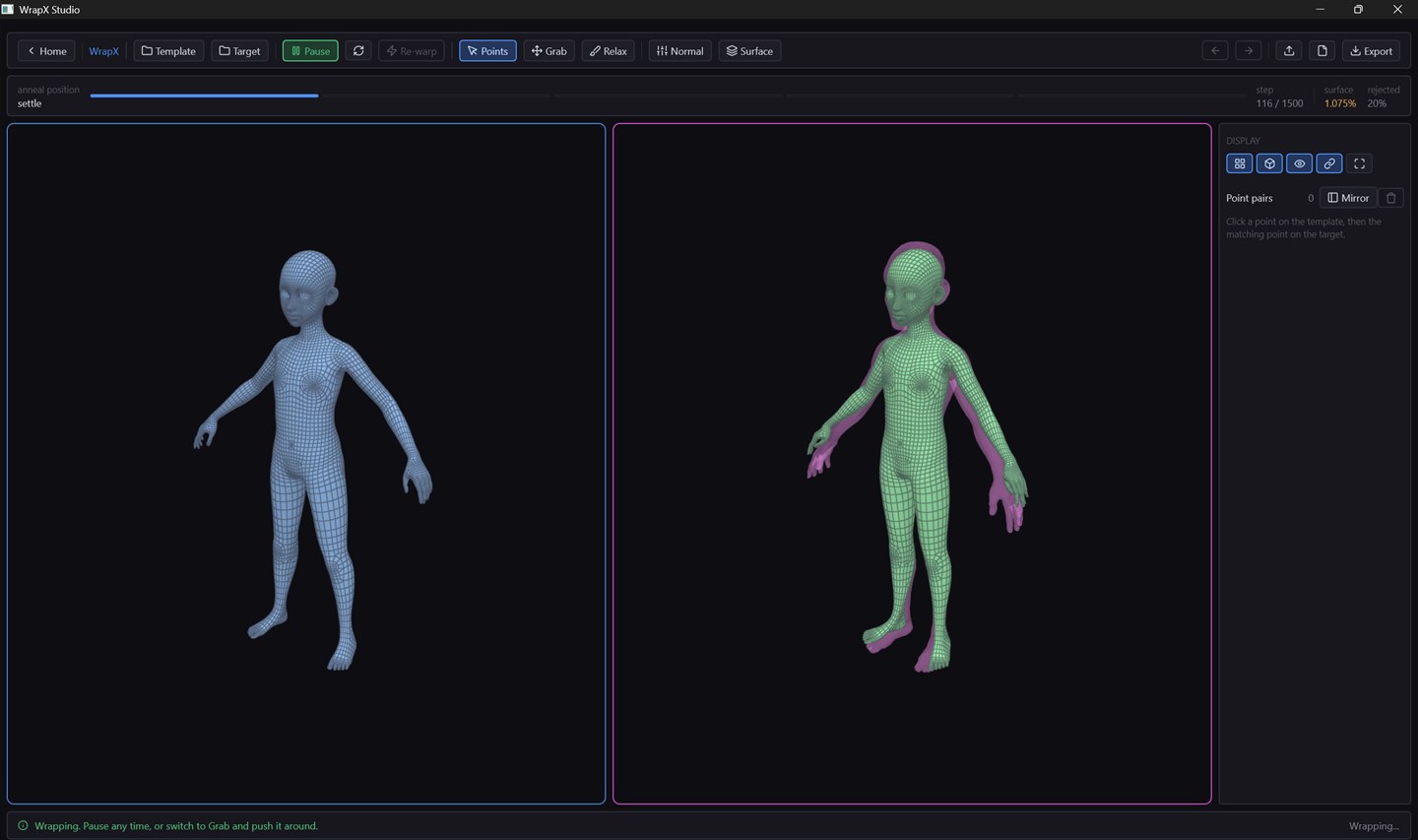
Step 116 — settle
Two seconds in. The template is still wearing the scan like a loose coat, and the magenta underneath is the part it has not reached yet. Surface error 1.075% of model size, 20% of snap attempts rejected. Nothing has been written to disk and nothing was exported to get here.
02
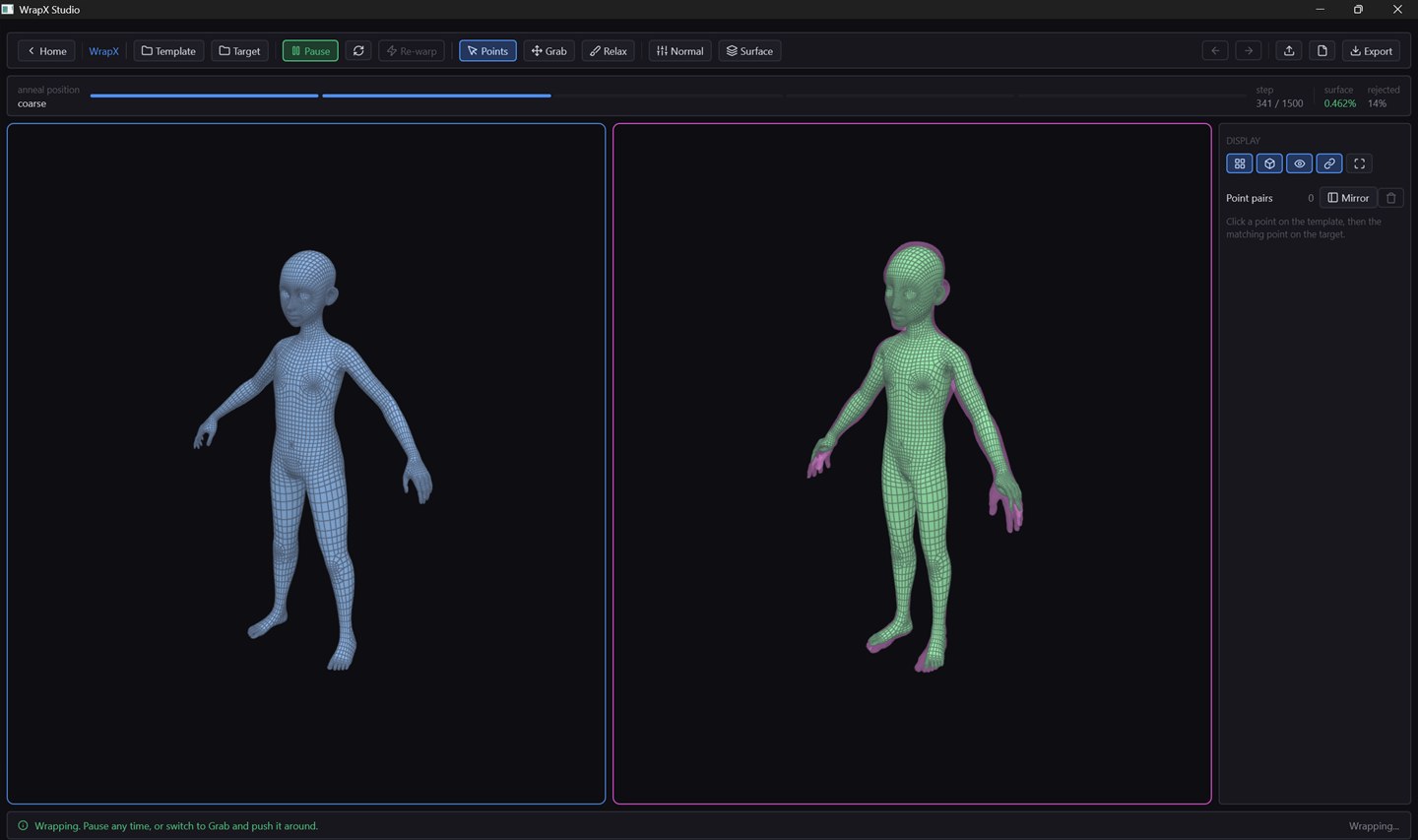
Step 341 — coarse
The anneal schedule has moved on and the magenta has mostly closed up, surviving at the hands and feet where thin features sit close together. 0.462%, 14% rejected. You can pause here, or grab it and pull, and it keeps solving under your cursor.
03
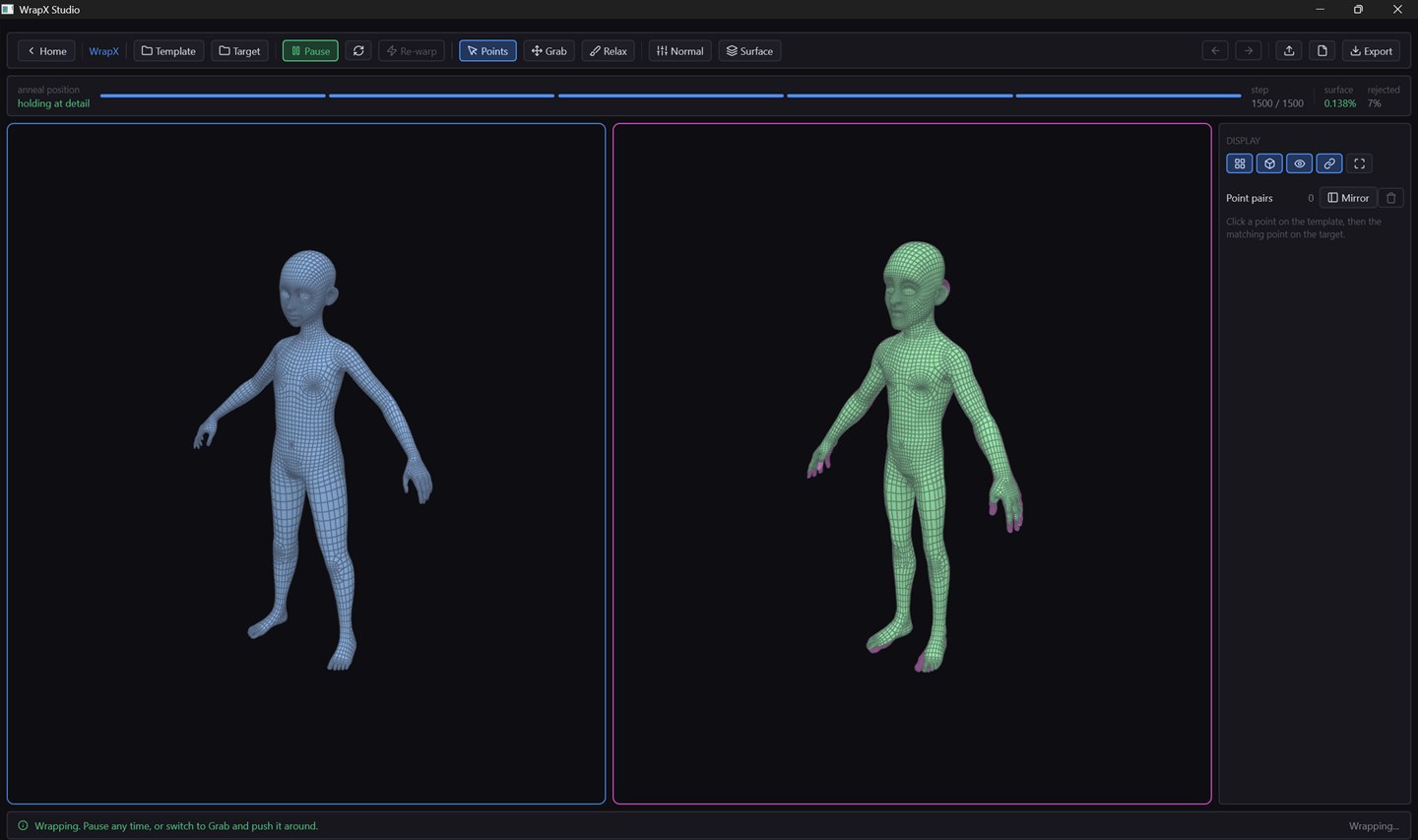
Step 1500 — holding at detail
The end of the schedule, about ten watchable seconds later: 0.138% surface error, 7% rejected, quads intact. It holds at detail rather than stopping, so a late grab still settles instead of freezing mid-edit.
The fit, checked outside the tool
Point clouds, three views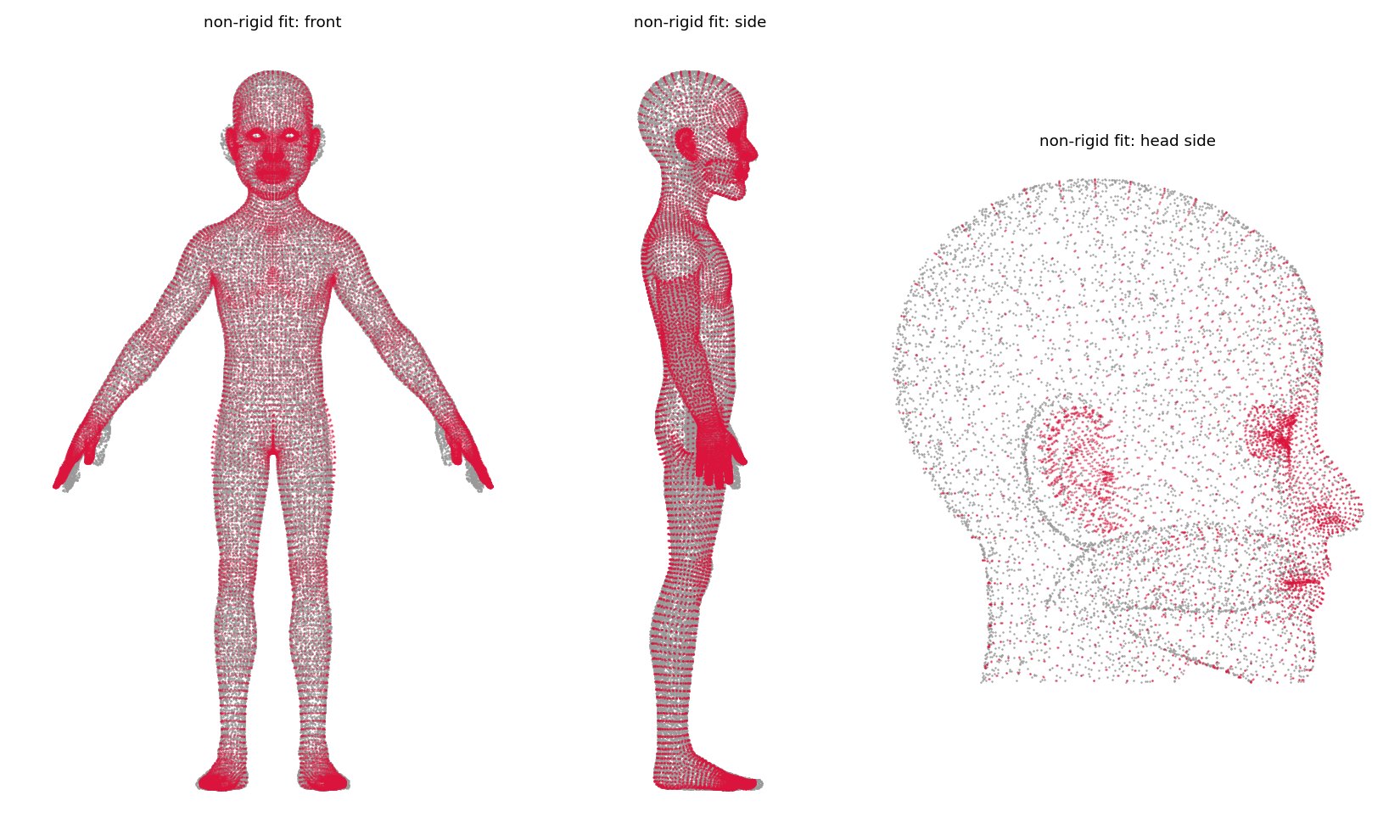
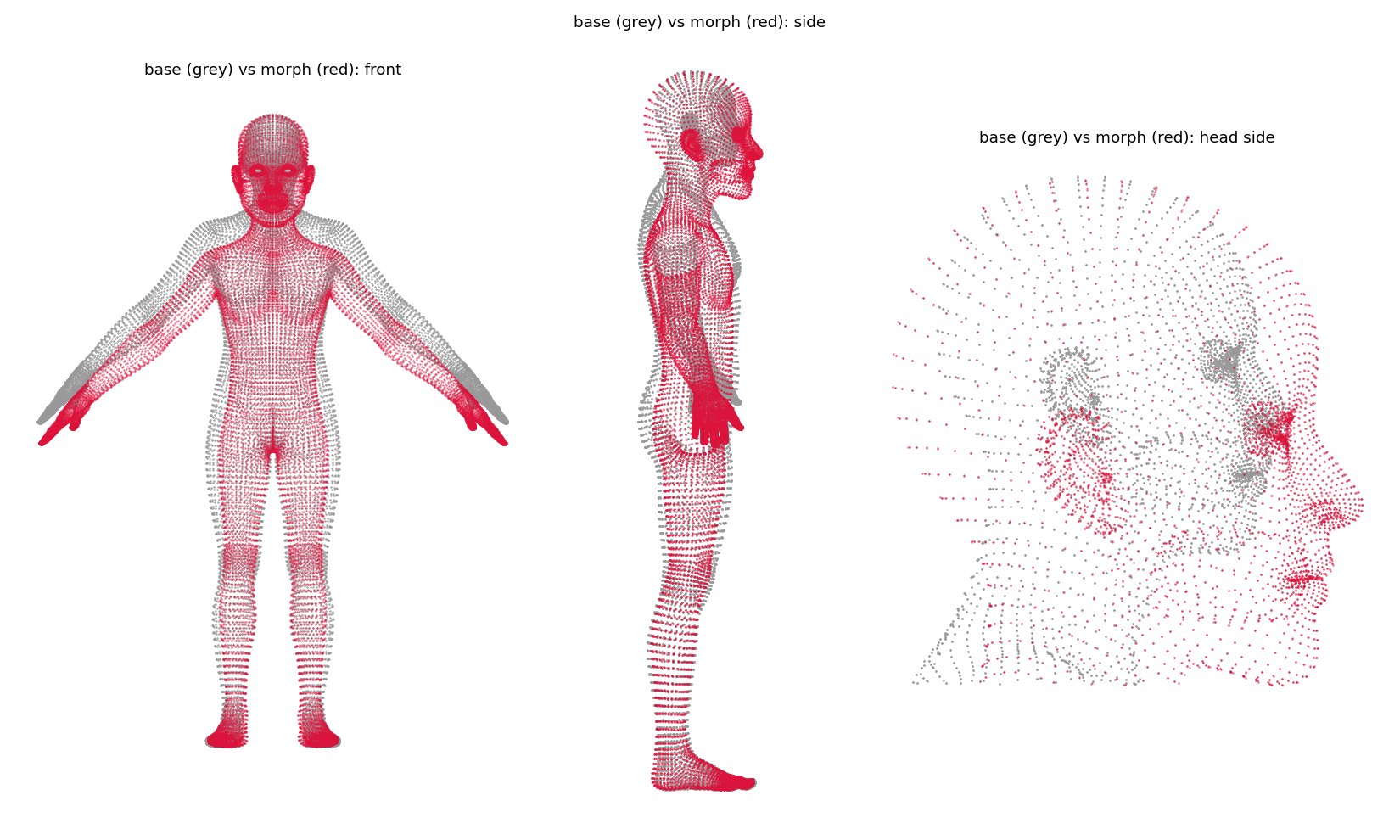
What makes it different
The solve is the interface
An earlier version of this wrote both meshes and the point list to disk and spawned a Python pipeline as a subprocess. It produced good numbers and the wrong product: you pressed a button, waited, and looked at an answer. Now the solver runs in this process on its own thread, at a pace you can watch, and you can interrupt it whenever you like.
Grab it while it runs
A grab has to suppress snapping or it does nothing — at the final stage the data term pulls with about 0.857 per step, so a grabbed vertex is yanked back onto the scan before you see it move. The grab writes its falloff into the snap rejection mask and fades out over ~15 steps, and the anneal clock freezes for the duration so the mesh does not stiffen the longer you hold it.
Fluid because of the integrator
Grabs move positions without touching the Verlet history, so they inject velocity rather than teleporting. That is why the mesh keeps flowing for a moment after you let go. The soft feel is a consequence of how the solver integrates, not an effect layered on top of a finished result.
Quads survive the round trip
The mesh type stores polygons, not triangles, and the wireframe uses a per-triangle edge mask so a quad draws four edges instead of five. Most loaders triangulate on import, which would destroy the one property a retopology tool exists to maintain — which is also why the OBJ parser is hand-written and FBX goes through ufbx rather than Assimp.
How a wrap runs
Three stages, none of them a waitPoint pairs
Click a point on the template, then the matching point on the target. Landmarks are stored as a polygon plus barycentric coordinates, so a set is reusable across any model with matching topology and two nearby clicks never collide. Symmetry mirrors each new pair across X.
Play
Structural springs, Verlet integration, Laplacian smoothing and surface snapping, driven by a real annealing schedule on a worker thread. The anneal bar, the step counter and the live surface error are all painted from the running solve.
Grab
Push the wrap around while it settles. Shift-drag pulls along the surface normal, Ctrl+wheel sizes the brush. Grabbing keeps the solver stepping even when paused — otherwise a pull would just translate a frozen shape with no springs to carry it outward.
Measuring the right thing
Quality vector, not surface RMSSurface RMS alone is minimised by a mesh collapsed onto the target, and it cannot see a single one of the failures that actually cost you work. So the wrap reports a vector: folds, self-intersections, edge distortion and landmark residual alongside surface error.
That is what makes the snapping trade legible. On anything with thin close-together features —
fingers, lips, eyelids — default SURFACE snapping takes the nearest point
unconditionally, so opposing surfaces a millimetre apart grab each other. Measured on a full body:
| Snap mode | Folds | Self-intersecting pairs | Surface error |
|---|---|---|---|
SURFACE (default) | 21 | 200+ | 0.19% |
OUTSIDE | 5 | 49 | 0.61% |
Three times the surface error, for a quarter of the folds. Topological damage is the more expensive kind, because it breaks UVs and everything downstream of them.
Two tools, one shell
WrapX is the wrap tool. FlowX, alongside it and still in development, comes at the same problem from the other end: remesh a sculpt or scan into clean quads from a cross field, and comb that field with strokes to steer the edge flow where you want it.
Both sit on a shared shell, and the geometry, the maths and the whole solver live in libraries that link neither GL nor the UI toolkit — which is what keeps 26,194 test assertions running without a window.
Things that were not obvious
Picking on a mesh that is moving
Ray queries against a deforming mesh refit the BVH rather than rebuilding it — one backward sweep over the existing tree. The split planes go stale as the mesh moves so the tree slowly loses efficiency, but it stays correct, because a query only descends into boxes that still contain their triangles.
One GL block per frame, both viewports
Skia's Ganesh backend records draws and replays them at the final submit, while raw GL executes immediately. Rendering each viewport inside its own paint would cost a flush and a full state reset per viewport, and would let a shared texture display the other viewport's contents.
The test that keeps earning its place
A projection round trip: project a vertex to screen coordinates, cast a ray back through that pixel, assert it lands on the same point — under both depth conventions, on an offset non-square viewport. Skia draws y-down in logical pixels; GL renders y-up in device pixels. It has caught the ray being built backwards, and an unprojection outside the reversed-Z frustum.
Release, or it stutters
The solver runs about 3.5x faster in Release — 1.2 ms per step against 4.2 ms at 4,776 vertices. That is the entire difference between a live wrap that holds 60 fps while you drag it and one that visibly stutters, so Release is the default in the build script rather than a flag you remember.